

Course Registration
Step 1 of 2 — Explore the courses
Review the course descriptions and available dates below by pressing each course. Registration is limited to one program per participant.
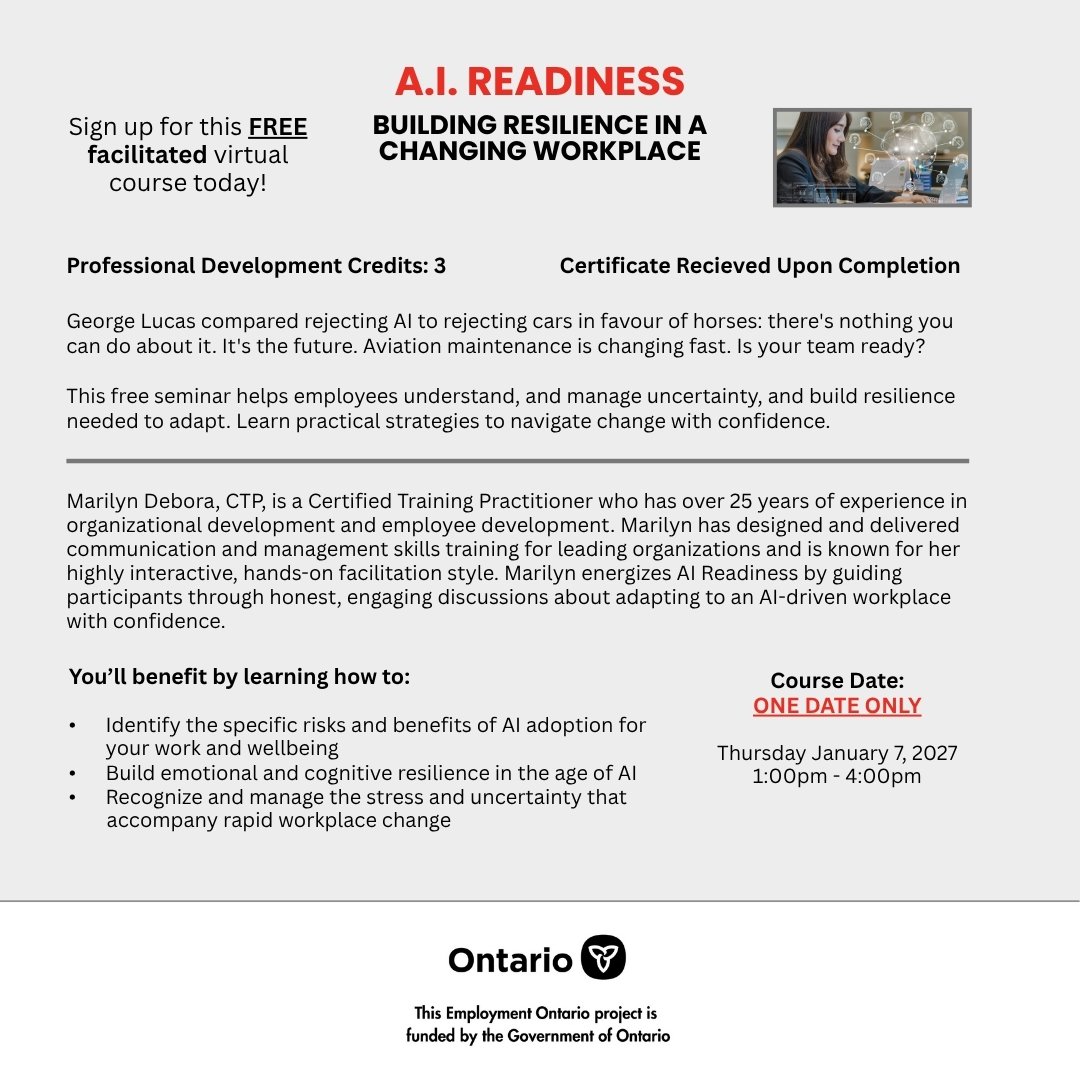
Click the flyer to enlarge

Click the flyer to enlarge
Available dates:
- Oct 26 – Oct 30, 2026
- Nov 30 – Dec 4, 2026
- Dec 14 – Dec 18, 2026
1 seat remaining.
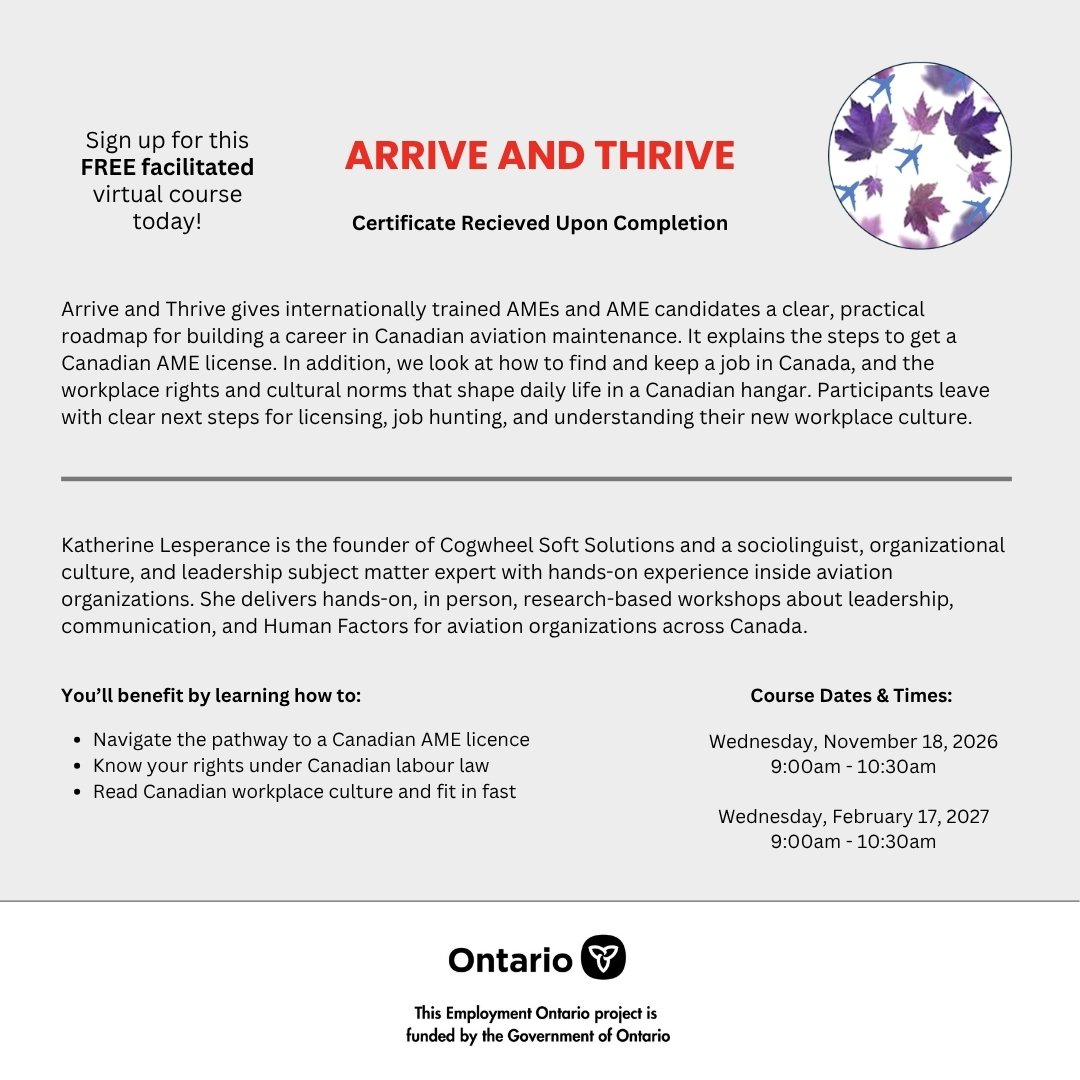
Click the flyer to enlarge
Available dates:
- Nov 18, 2026 · 9:00 am – 10:30 am
- Feb 17, 2027 · 9:00 am – 10:30 am
15 seats remaining.
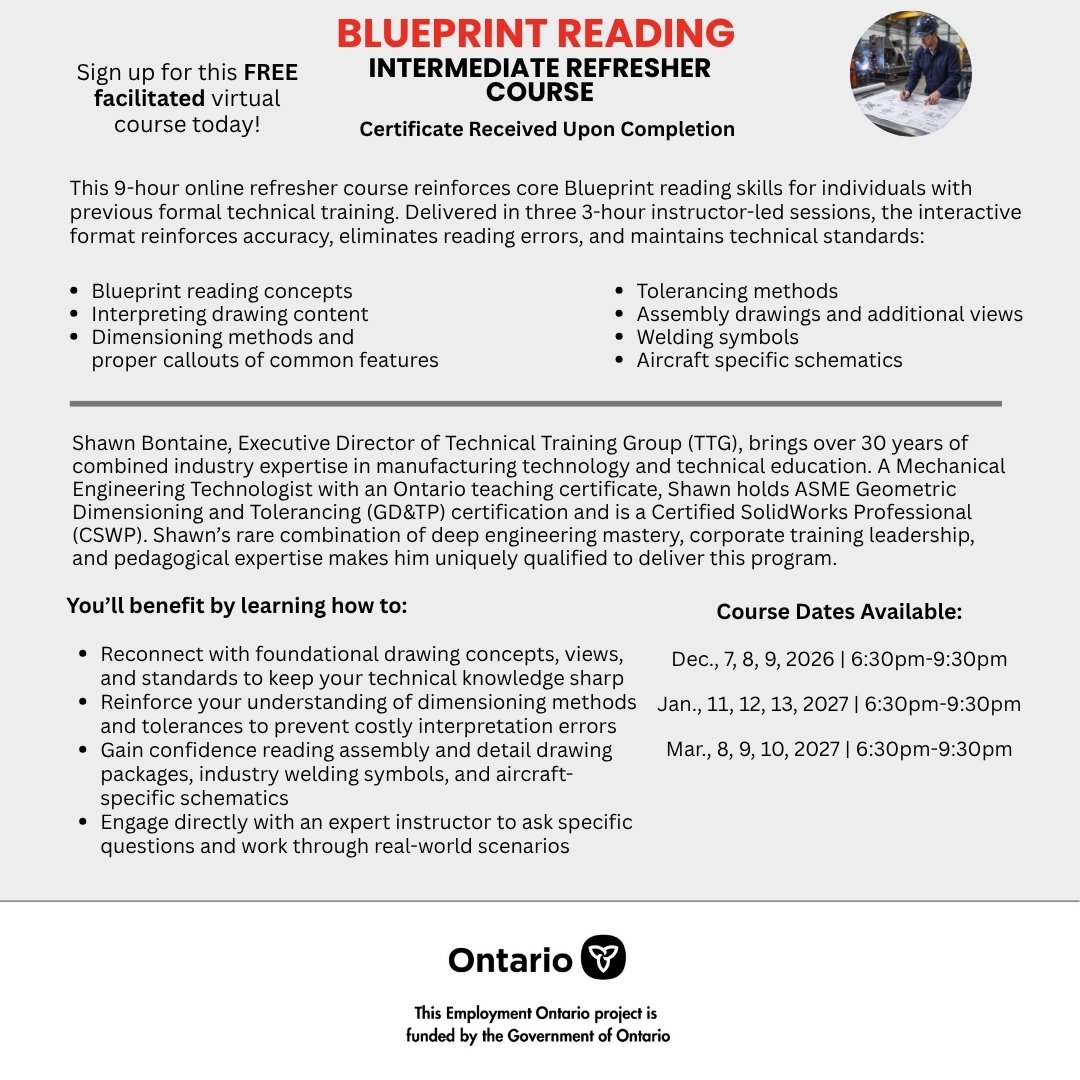
Click the flyer to enlarge
Available dates:
- Dec 7 – Dec 9, 2026 · 6:30 pm – 9:30 pm
- Jan 11 – Jan 13, 2027 · 6:30 pm – 9:30 pm
- Mar 8 – Mar 10, 2027 · 6:30 pm – 9:30 pm
11 seats remaining.

Click the flyer to enlarge
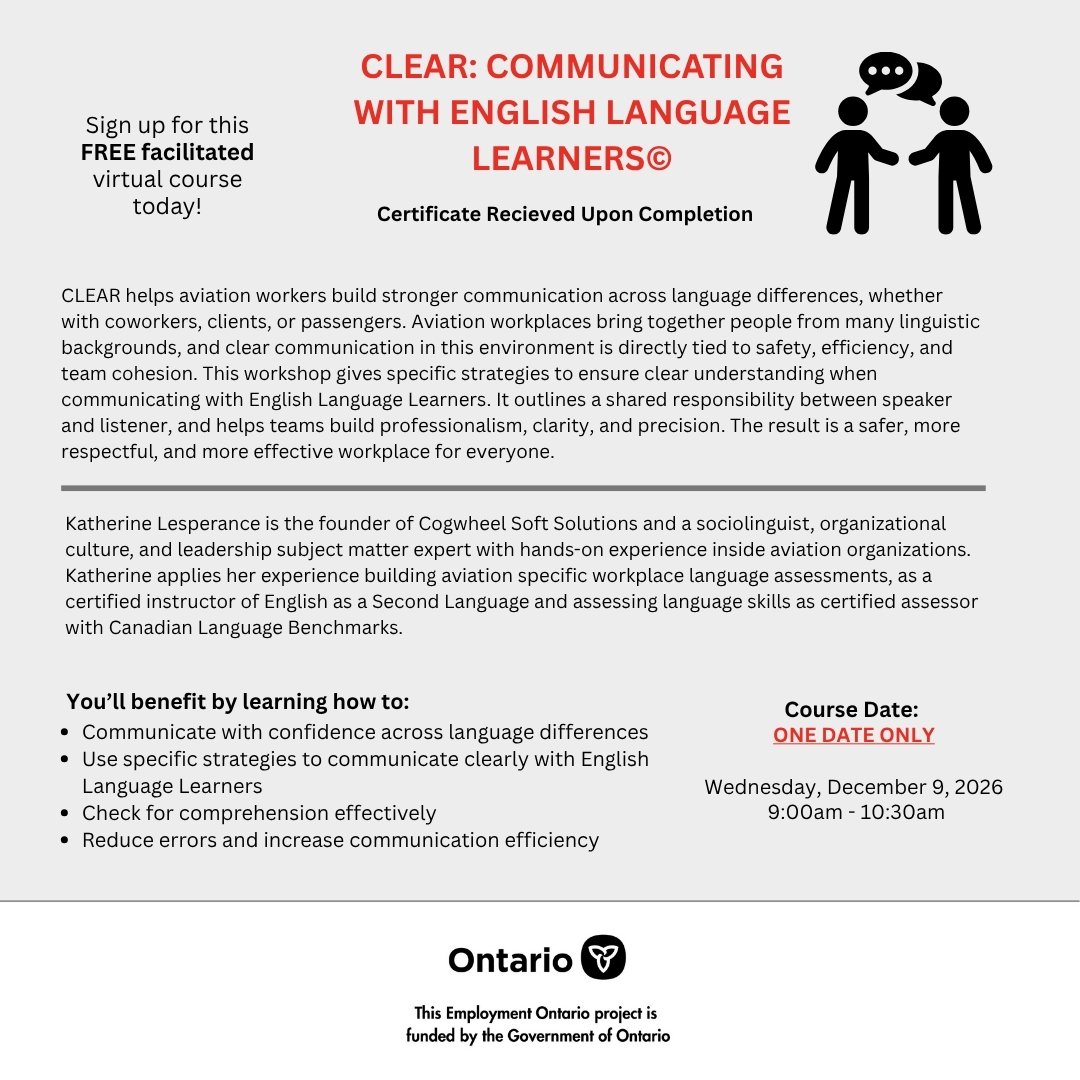
Click the flyer to enlarge
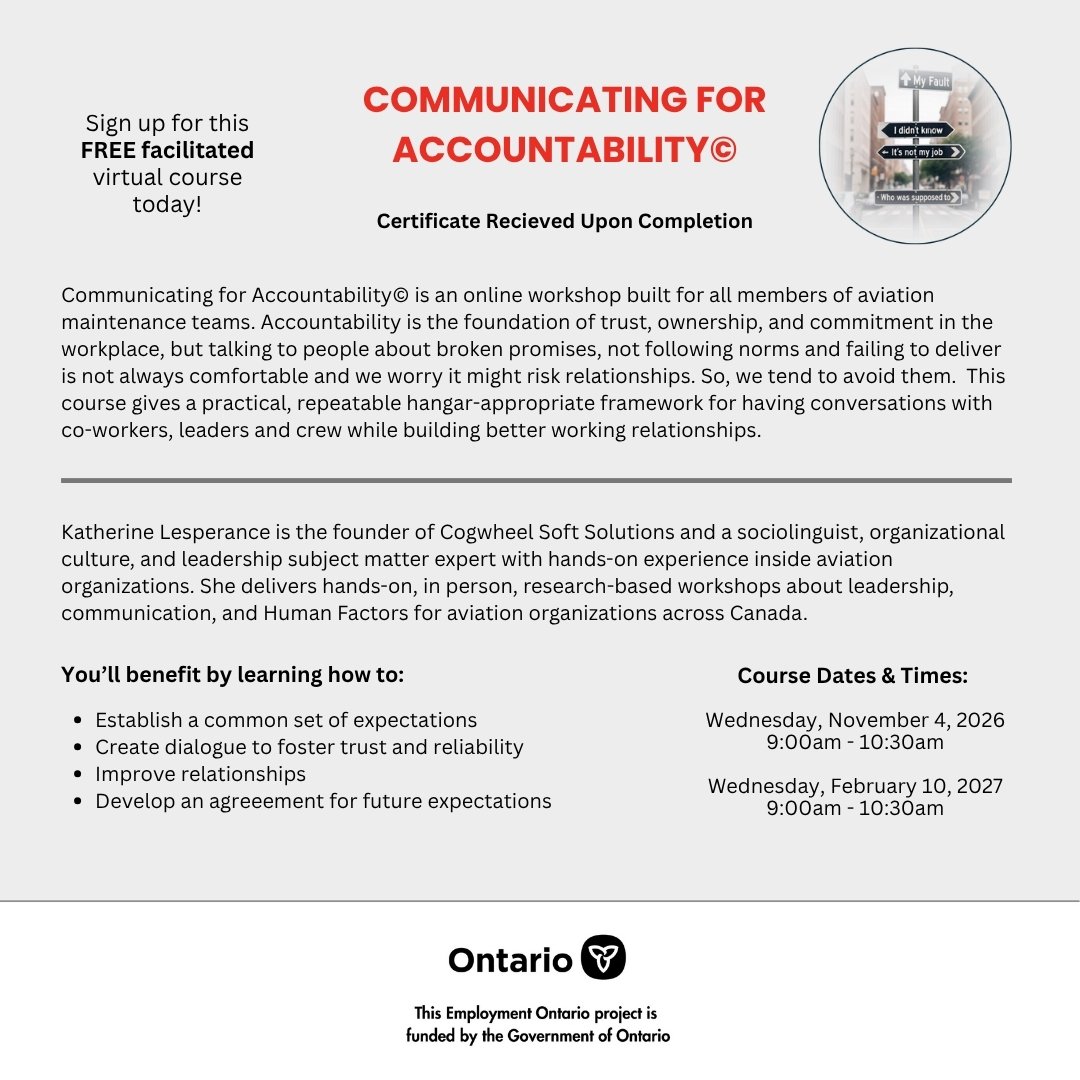
Click the flyer to enlarge
Available dates:
- Nov 4, 2026 · 9:00 am – 10:30 am
- Feb 10, 2027 · 9:00 am – 10:30 am
15 seats remaining.

Click the flyer to enlarge
Available dates:
- Oct 19 – Oct 23, 2026
- Nov 23 – Nov 27, 2026
- Dec 7 – Dec 11, 2026
7 seats remaining.

Click the flyer to enlarge

Click the flyer to enlarge
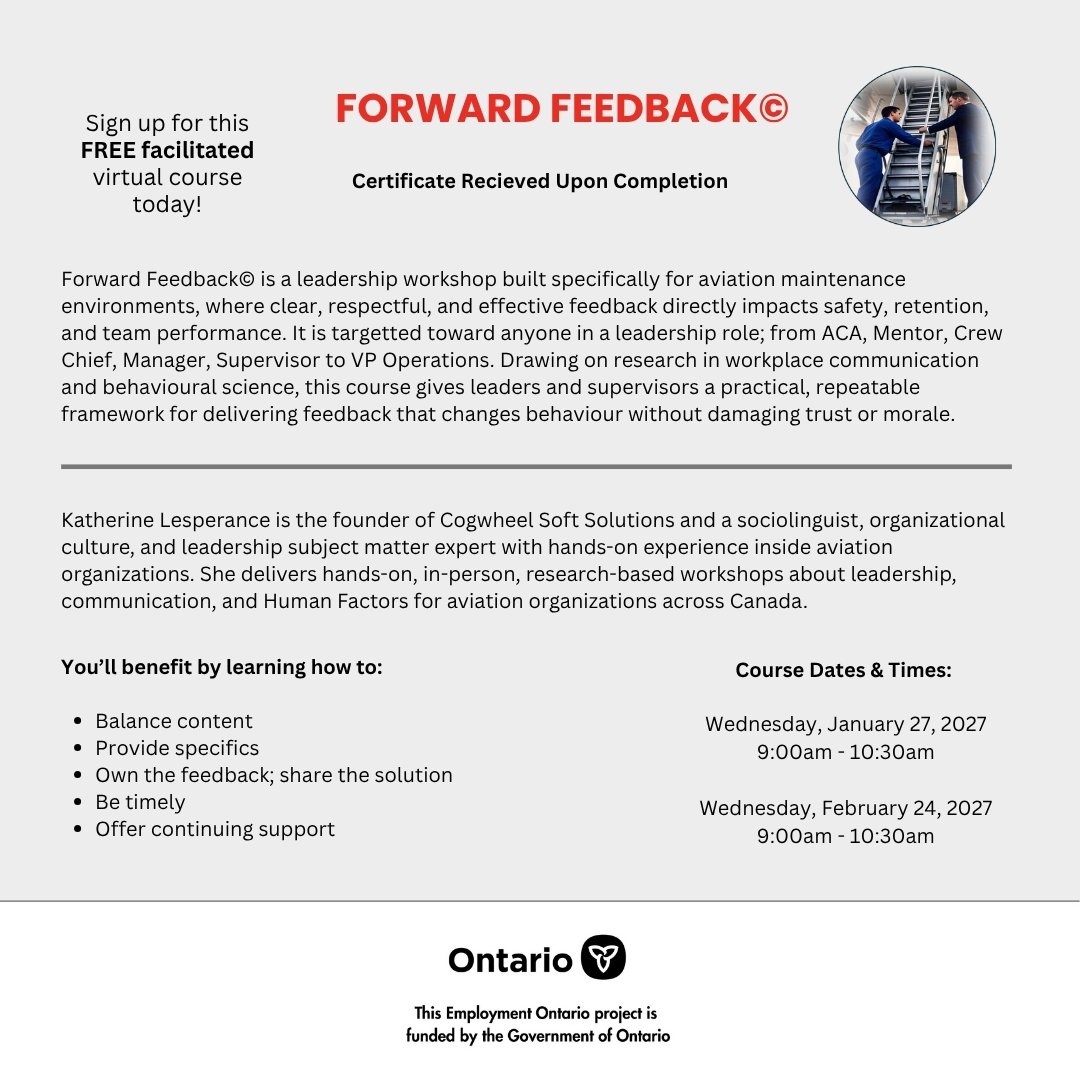
Click the flyer to enlarge
Available dates:
- Jan 27, 2027 · 9:00 am – 10:30 am
- Feb 24, 2027 · 9:00 am – 10:30 am
15 seats remaining.
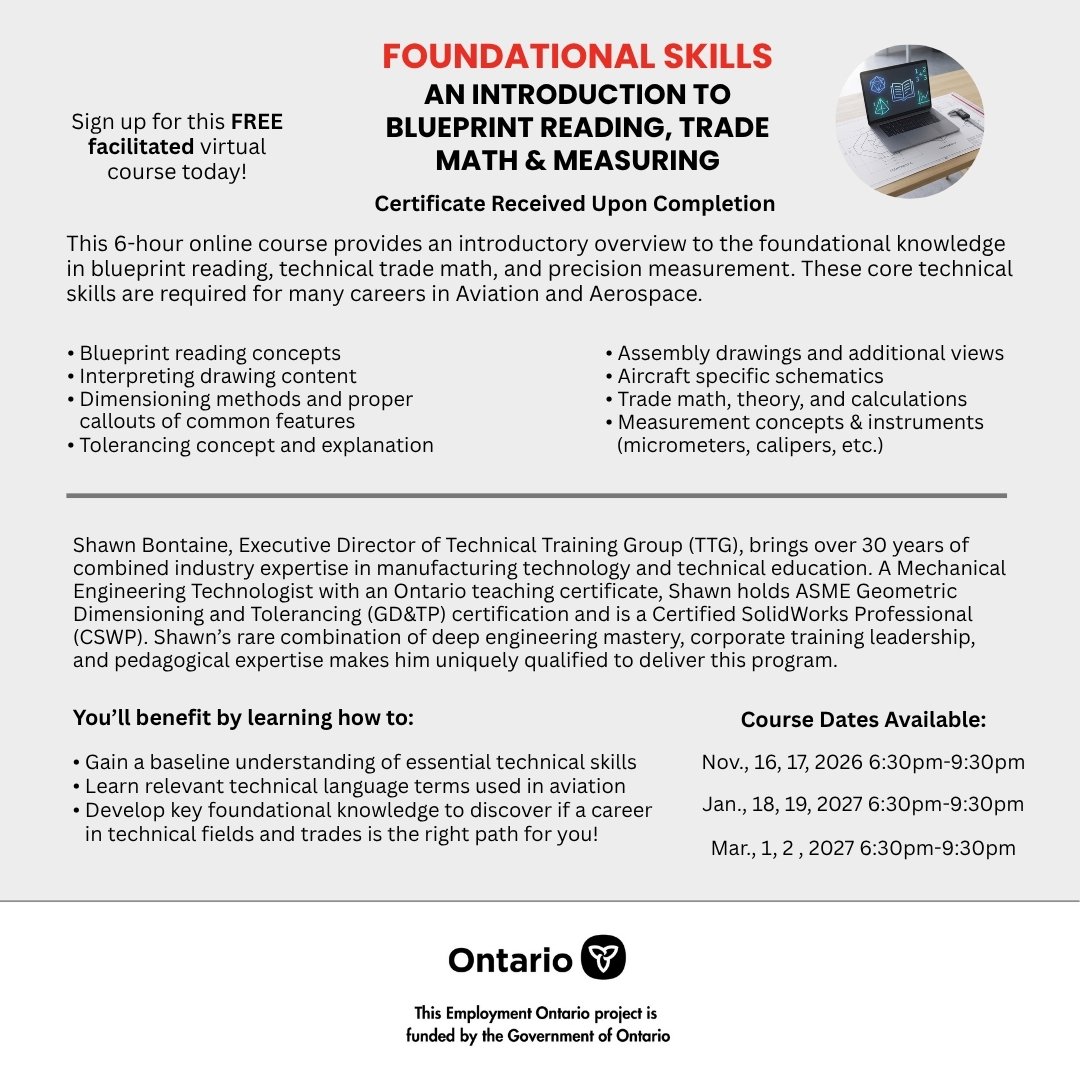
Click the flyer to enlarge
Available dates:
- Nov 16 – Nov 17, 2026 · 6:30 pm – 9:30 pm
- Jan 18 – Jan 19, 2027 · 6:30 pm – 9:30 pm
- Mar 1 – Mar 2, 2027 · 6:30 pm – 9:30 pm
12 seats remaining.

Click the flyer to enlarge
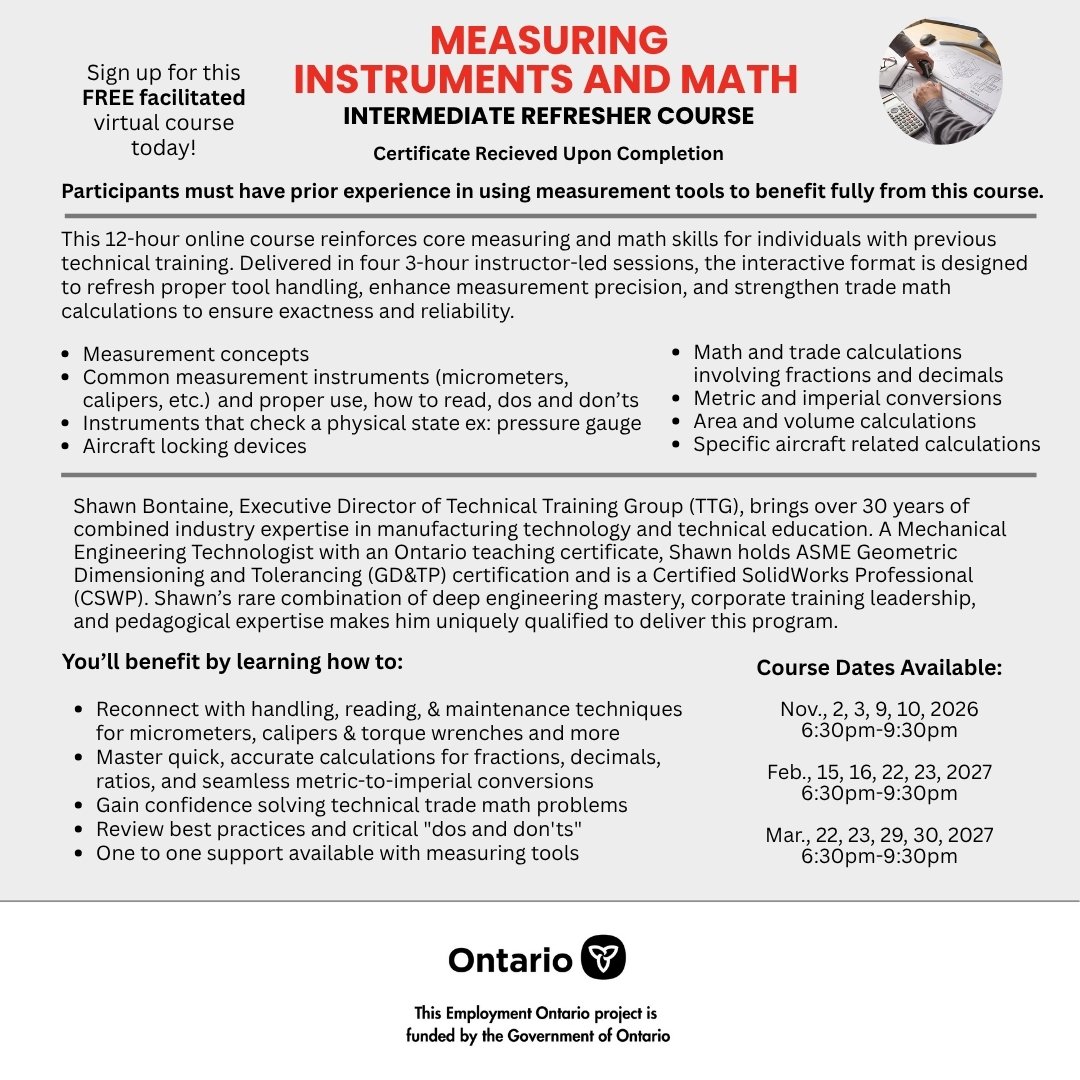
Click the flyer to enlarge
Available dates:
- Nov 2 – Nov 10, 2026 · 6:30 pm – 9:30 pm
- Feb 15 – Feb 23, 2027 · 6:30 pm – 9:30 pm
- Mar 22 – Mar 30, 2027 · 6:30 pm – 9:30 pm
14 seats remaining.
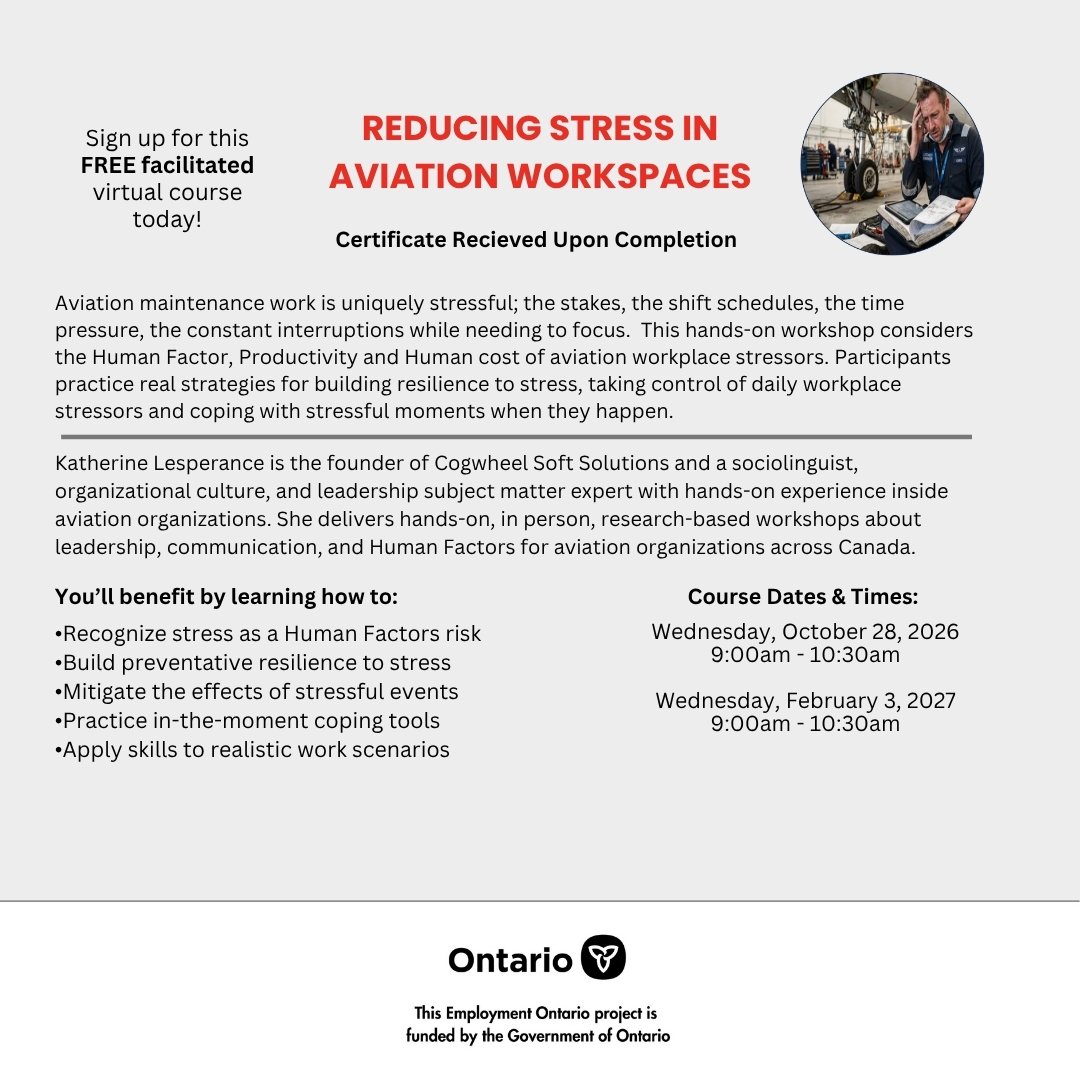
Click the flyer to enlarge
Available dates:
- Oct 28, 2026 · 9:00 am – 10:30 am
- Feb 3, 2027 · 9:00 am – 10:30 am
13 seats remaining.

Click the flyer to enlarge

Click the flyer to enlarge
Step 2 of 2 — Register
Complete the form below. Fields marked * are required. You will receive a confirmation email once submitted.
Upload your completed government form
First confirm the email address you registered with. Then upload your completed form directly to our secure Sync folder — the form is stored in Sync, never on this website. Please name your file with the reference code shown so we can match it to you.
⇩ Download your personalized form
Your form downloads pre-named with your reference code. Complete it, then upload it below — the code lets us match it to you.
Opening the form: This official government PDF opens in the free Adobe Acrobat Reader — on a computer, or the Adobe Acrobat Reader app on a phone/tablet. It will not display in a browser tab or the built-in phone preview.
↑ Upload your completed form to Sync (opens a secure tab)
The secure Sync upload opens in a new tab. Keep your reference code in the file name so we can match it to you.
The upload opens in a new tab because Sync (for security) does not allow its uploader to be embedded in other websites.